
If this is your first mod, we recommend taking a look at the modding help page.
Disassembly
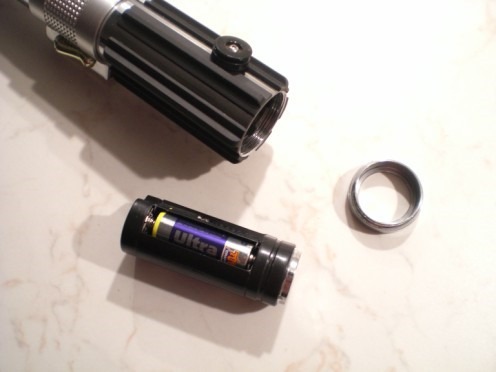
1. Remove the pommel ring and the battery holder.
2. Carefully pry off the activator plate at both ends.

3. Unscrew the two screws underneath and remove the black mount. The switch is now only attached to the box with two small screws. Unscrew them, release the switch and push it into the hilt.


4. Carefully pry off the two copper eyes with a thin object, ideally a screwdriver


5. There's a screw under each copper eye, which needs to be removed. Then both sockets can be taken off

6. On both sides, firmly pull out the two gold pins with pliers

7. Also remove the small screw above the large copper eye

8. Now pull the blade out forward together with the whole mount

9. Separate the soundboard housing from the blade holder (remove the tape) and disconnect the cable to the LED strip

10. Tap the two metal pins out of the blade holder with a hammer and a pin punch or a blunt nail

11. Simply pry out the small rivets, which are only held in place with a bit of tape

12. The small tube can now be taken out of the blade holder

13. The blade can now be removed from the blade holder

14. Carefully tap the small metal pin in the blade into the LED strip mount with a hammer and a thin nail, but only far enough that you can separate the blade from the LED mount!

15. Now you can pull the LED strip out of the blade.

16. the LED strip is exposed, simply peel off the foam.
17. Cut the LED strip mount open lengthwise on both sides. Now the clash sensor and the LED strip wiring are exposed and can be cut off completely.

